Curbsend
The quoting app for painters, roofers, plumbers and 20 more trades

Send the quote before you leave the driveway

Walk the job, snap photos and talk through what you see. Curbsend prices it with your rates, sends a clean itemized quote with three options, and follows up until the customer says yes.

Start 7-day free trial

No card to start. No app store. Works on iPhone, Android and computers.
23trades with their own cost calculator
3options on every quote: good, better, best
1 tapfor customers to approve, sign and pay a deposit
7 daysfree, then from $39 a month
How it works

From the walk-through to a yes, without the kitchen-table paperwork

01 · Walk it

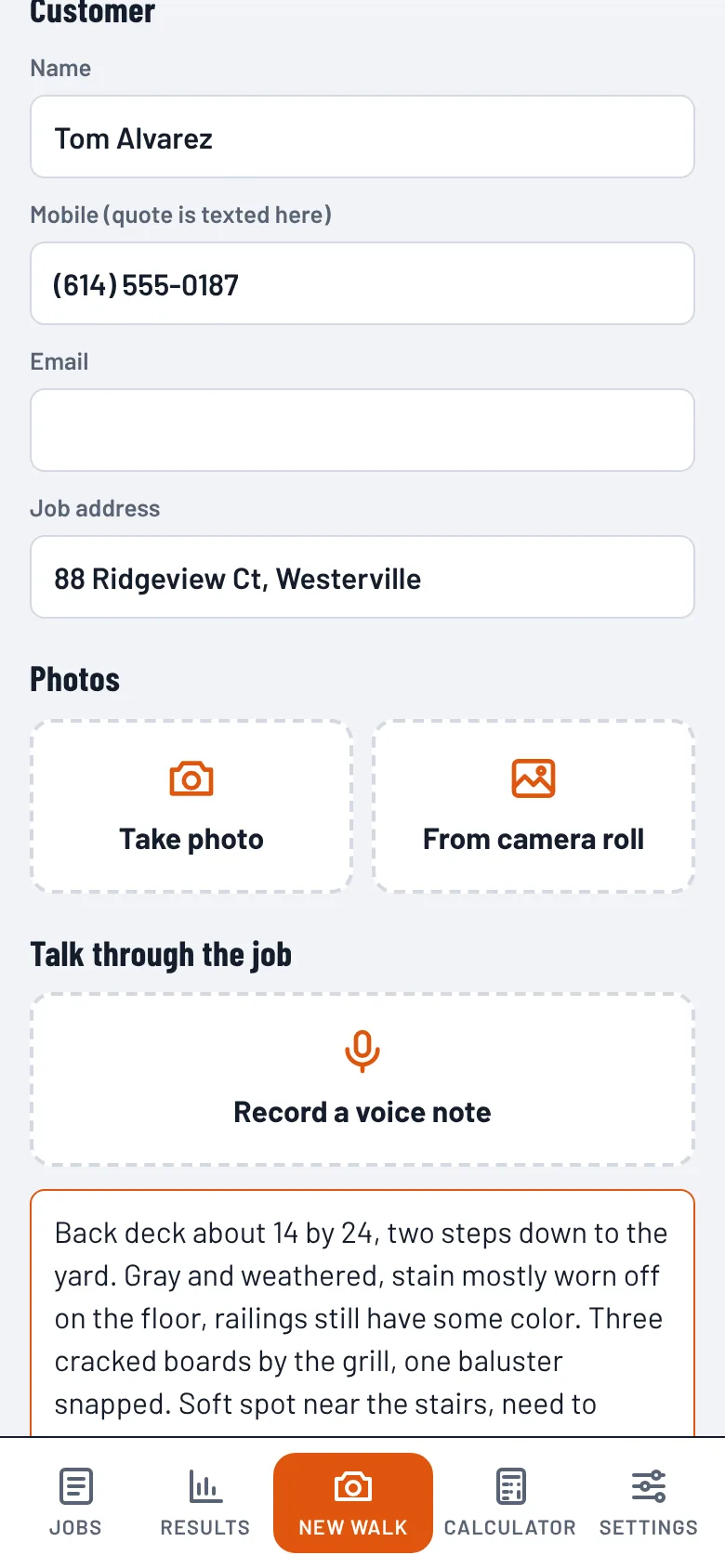
Snap photos and talk through the job

Take photos as you walk and record a voice note. Curbsend types it out so you can fix anything before pricing. No signal on site? Everything is saved on your phone until you're back in range.

Walk-through screen with photo buttons and a voice note
02 · Price it

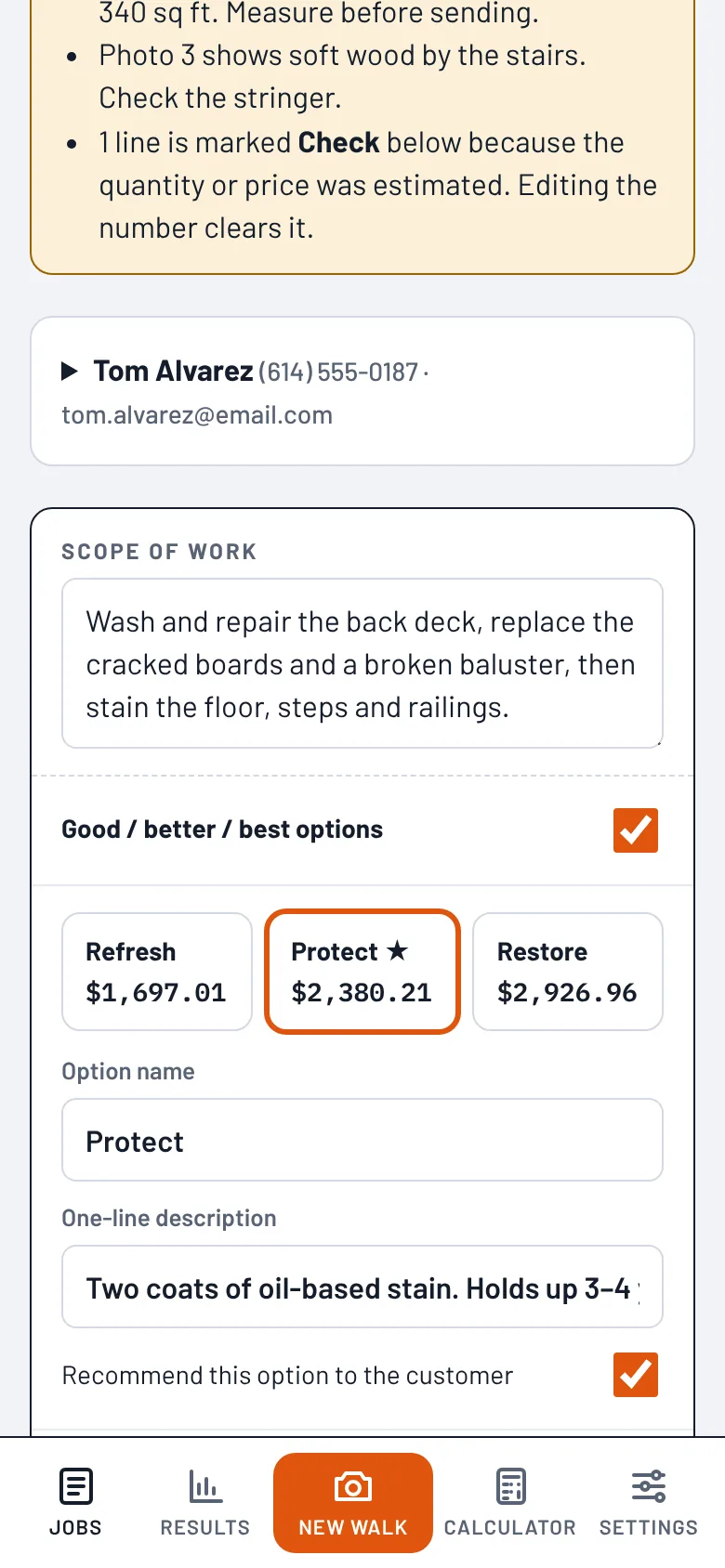
Itemized, with your rates and three options

The estimator reads your photos and notes and prices every line with your labor rate, your markup and your price book. It builds good, better and best options so customers choose a level instead of shopping you on price.

  • Guessed measurements are flagged, so you check them before sending
  • Or use the cost calculator for your trade
  • Every line stays editable
Quote with three priced options
03 · Send it

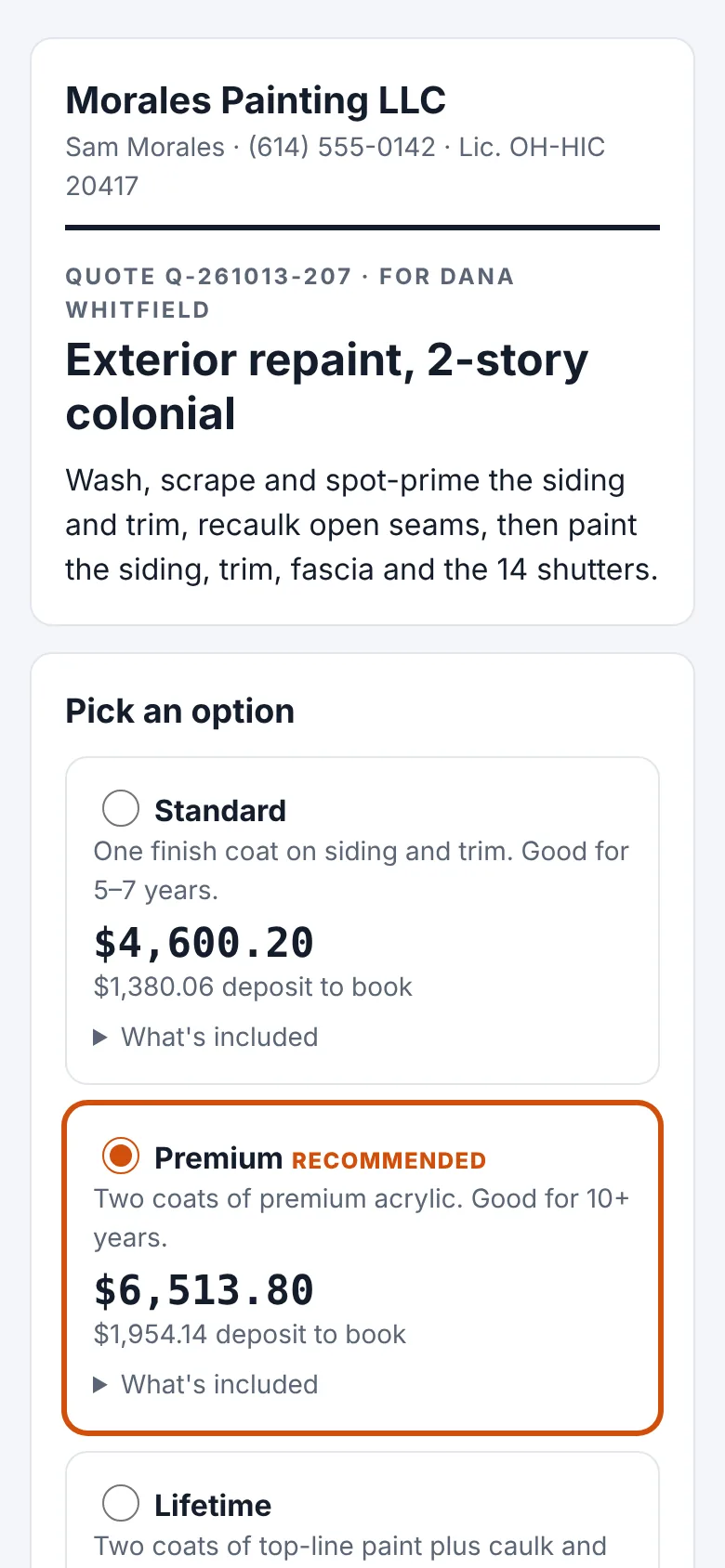
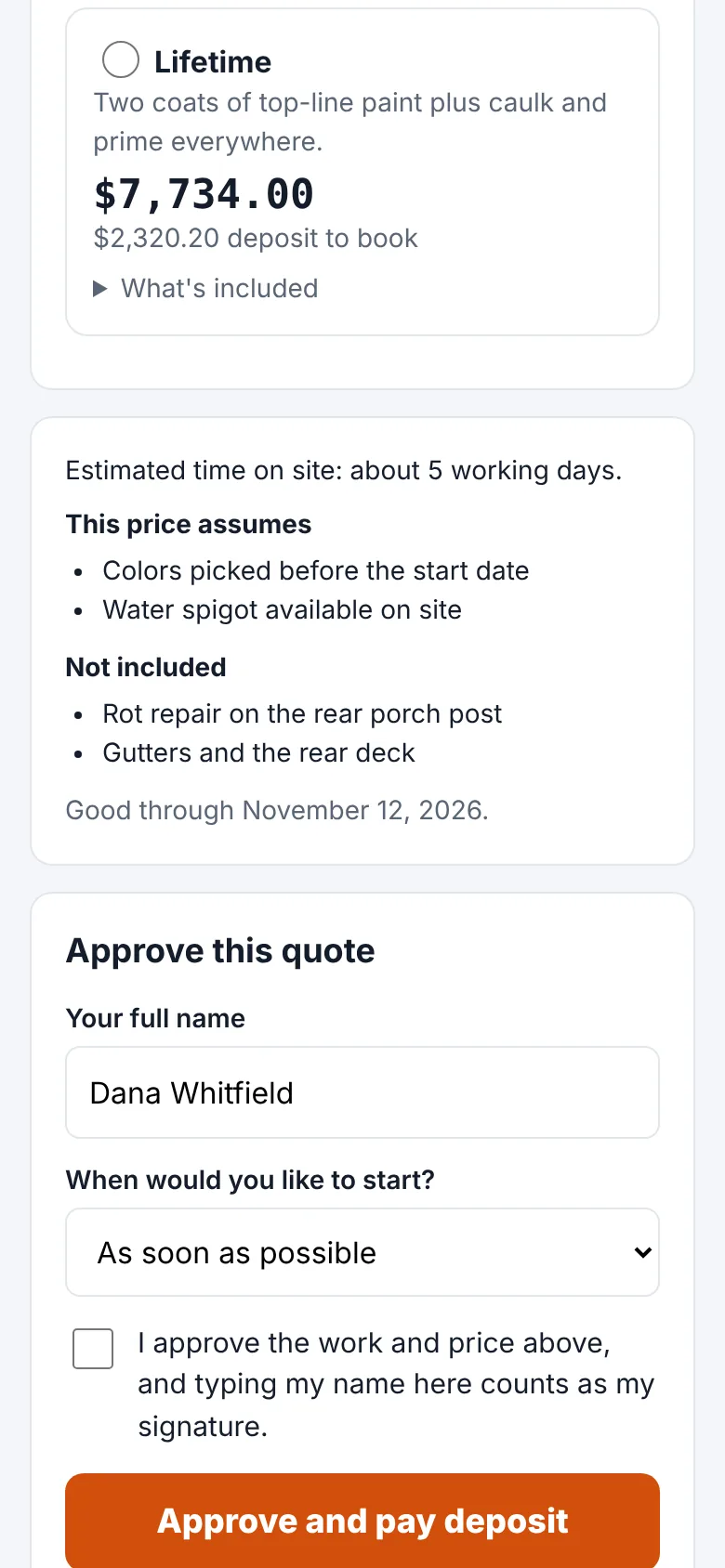
The customer approves and pays from their phone

Curbsend texts and emails a link to a quote page with your name and license. The customer compares options, signs by typing their name and pays the deposit by card. The money goes to your bank through Stripe.

Customer approval page with signature and deposit button
04 · It follows up

Friendly nudges that stop the moment they reply

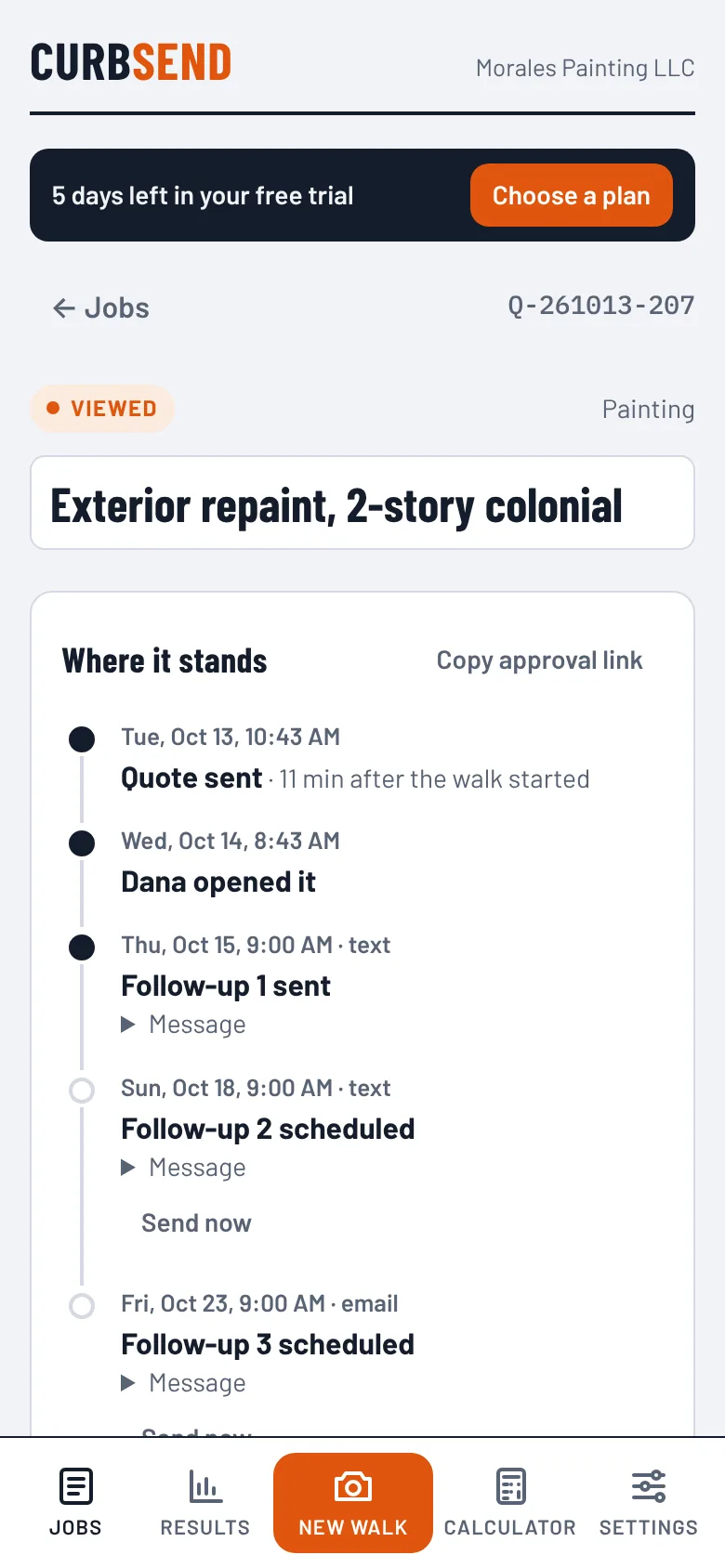
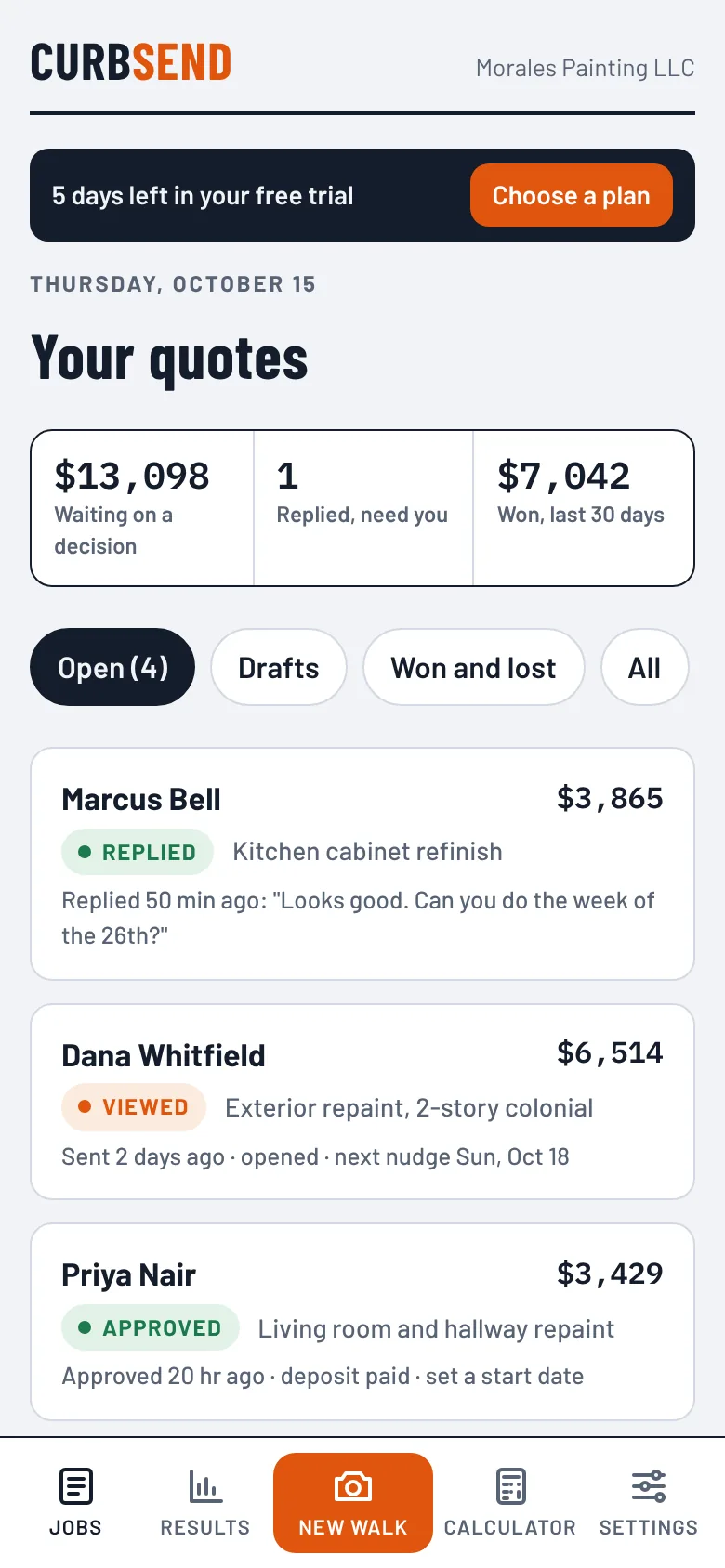
Follow-ups go out by text or email on the days you choose, at 9am your time and never at night. When the customer replies or approves, the rest are canceled and you get a heads-up with what they said.

Follow-up timeline on a sent quote
Cost calculators

A calculator built for your trade

Enter the measurements you already take. The calculator works out materials, hours and fees, prices them with your rate and markup, and turns the result into a quote in one tap. Set your own material prices and crew speeds once, and every estimate uses them.

Try any calculator free, no sign-up →

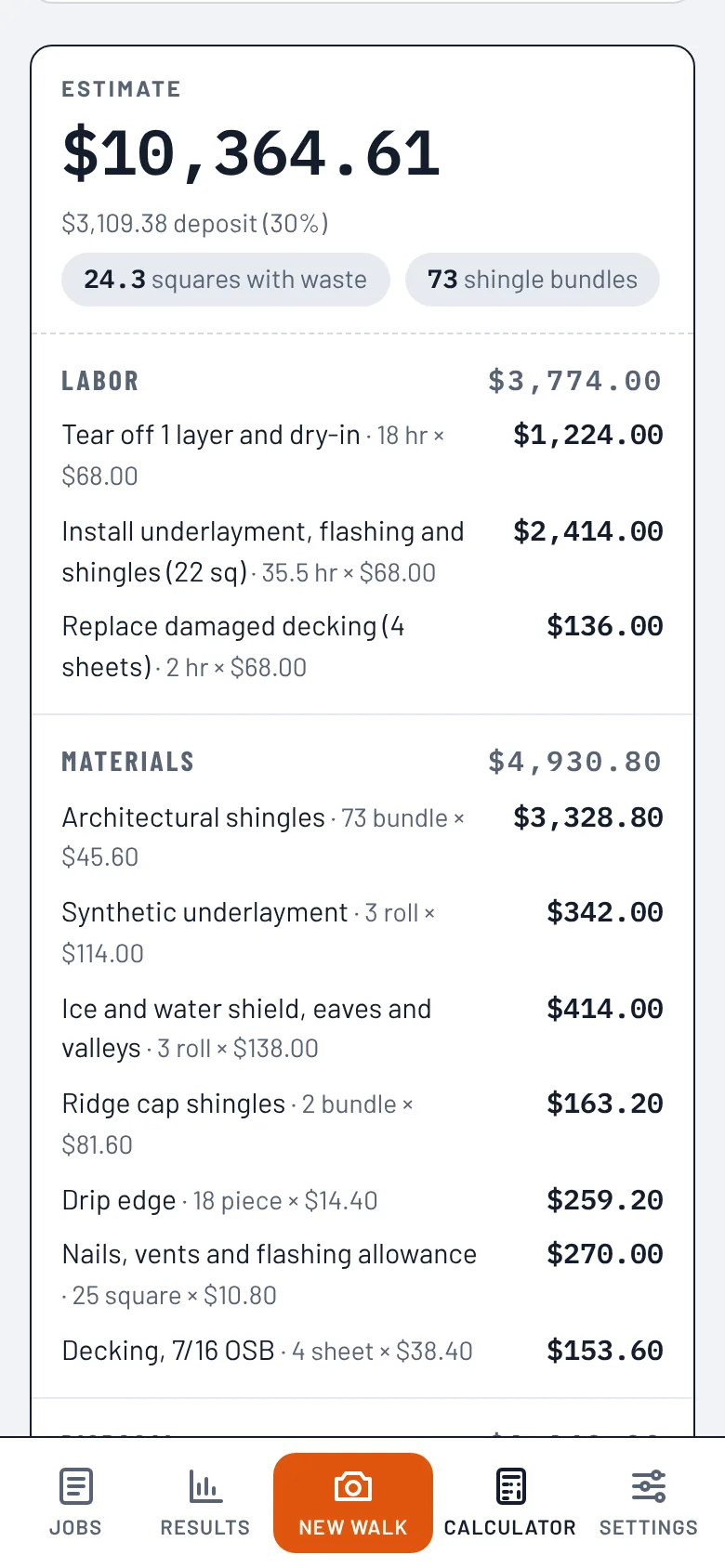
RoofingSquares with waste, bundles, underlayment, dumpster loads
ConcreteCubic yards, gravel base, forms, short-load fees
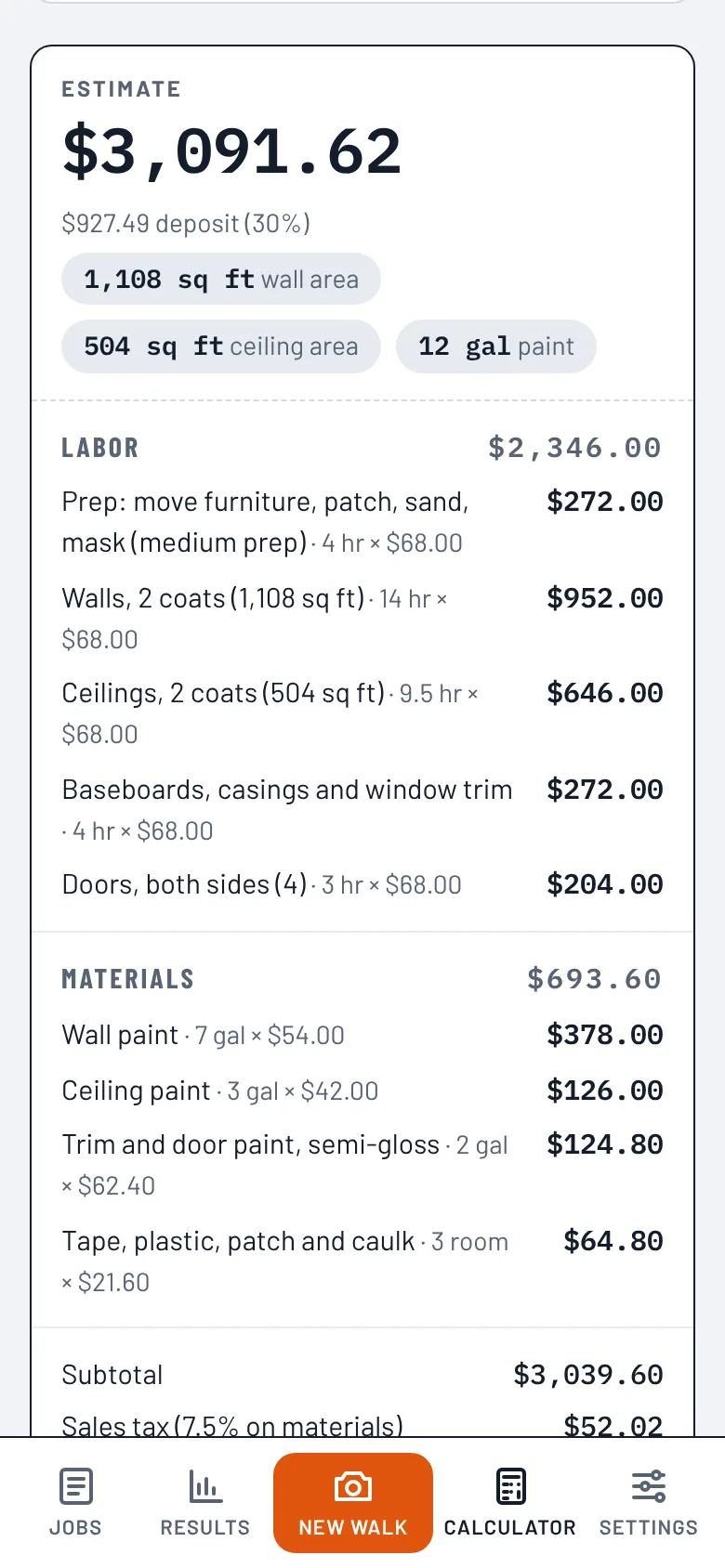
PaintingWall and ceiling area, gallons, hours per coat
InsulationBags to reach the R-value you're targeting
CleaningPer-visit price with recurring discounts
Lawn careA season plan: mowing, treatments, cleanups
Interior painting calculator estimate
Roofing calculator estimate
Everything else in the truck

Built for how small crews actually work

See if it's working

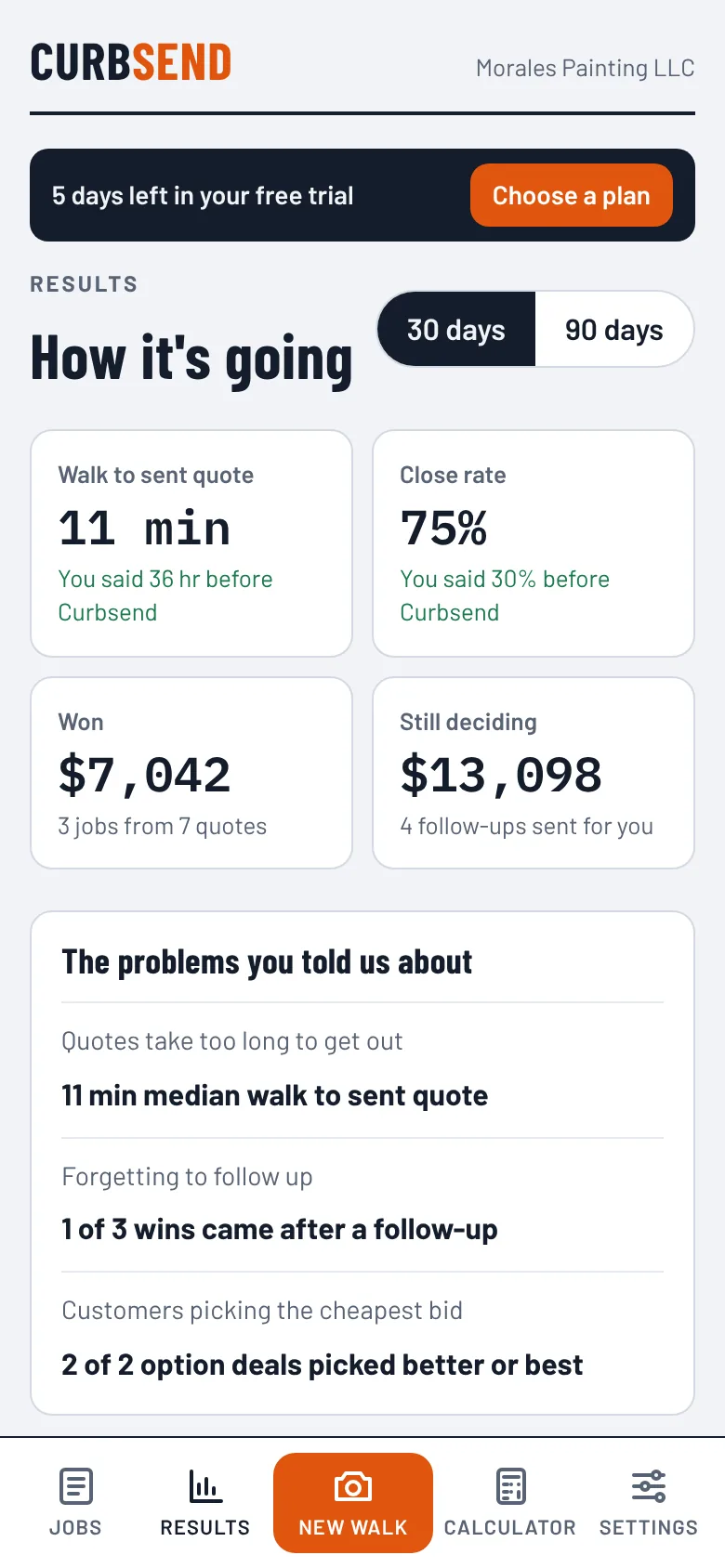
When you sign up, you tell us how long quotes take today and how many you win. Results puts your real numbers next to those: minutes from walk to sent quote, close rate, jobs won after a follow-up, and how often customers pick a higher option.

Results screen comparing numbers to the starting point

A price book that learns

Change a price before you send, and Curbsend remembers it. The next quote starts from your number, not a guess.

Roofs measured from satellite

Roof area, squares and pitch for the job address, pulled into the quote before you climb a ladder.

QuickBooks and calendar

Approved jobs land in QuickBooks as estimates. Set a start date and the customer gets a calendar invite.

Works with no signal

Photos, voice notes and notes are kept on your phone in basements and dead zones, ready to build when you're back in range.

Room for the crew

On the Crew plan, up to five estimators share one price book, and you see close rates by person.

Replies come to you

When a customer texts or emails back, you get an alert with what they said, and the follow-ups stop on their own.

Signed and on record

Each approval keeps the customer's typed name, the option they picked, the time, and their device, alongside the quote.

Pricing

Try it free for 7 days

Every feature is on during the trial. No card to start. After 7 days, pick a plan to keep quoting.

Crew

$99 / month
$1,188 billed yearly

For crews with more than one estimator. Up to 5 users.

  • Everything in Pro
  • Up to 5 team members
  • Shared price book
  • Close-rate reports by estimator
Start free trial

Deposits your customers pay through Curbsend carry a 1% platform fee on top of Stripe's card processing fees.

Get the app

Put Curbsend on your home screen

Curbsend installs straight from your browser, so there's no app store and no update to wait for. It opens full screen like any other app and keeps working when the signal drops.

iPhone and iPad

  1. Open this page in Safari.
  2. Tap Share at the bottom of the screen.
  3. Scroll and tap Add to Home Screen, then Add.

Android

  1. Open this page in Chrome.
  2. Tap Install the app above.
  3. Or use the menu and tap Install app.

Computer

  1. In Chrome or Edge, click Install the app above, or the install icon in the address bar.
  2. On a Mac with Safari, choose File → Add to Dock.
  3. For the job site, open this page on your phone too.
Questions

Before you try it

Do I need to download anything from an app store?

No. Curbsend installs from your browser in a couple of taps and updates itself. It shows up on your home screen with its own icon and opens full screen.

What happens when the 7-day trial ends?

Quoting, follow-ups and edits stop until you pick a plan. Your jobs and price book stay saved, and customers can still approve quotes you already sent. Pick a plan and everything turns back on.

Does it work for my trade?

Curbsend covers 23 home-service trades, from painting and roofing to cleaning, lawn care and pest control. Each has its own cost calculator, and the AI estimator works from your notes and photos for any job.

Where do the prices come from?

From you. Quotes use your labor rate, your markup and your price book. The calculators start with rough starting values so they work on day one, and you replace them with your own material costs and crew speeds.

How do customers pay the deposit?

By card on the quote page, right after they approve. Payments go through Stripe to your own bank account. You connect Stripe once in Settings.

Will customers get spammed?

No. Follow-ups go out only on the days you choose, at 9am your time, never at night, and they stop the moment the customer replies or approves. Customers can reply STOP to texts at any time.

Can my crew use it?

Yes, on the Crew plan. Up to five people share one price book, and Results shows how each estimator is doing.

Is my customers' information private?

Yes. Quote pages are private links that search engines are told not to index, and we never sell or share your customer list. See the privacy policy for the details.

Your next quote, sent from the driveway

Start the 7-day trial, put the app on your phone, and send a real quote on your next walk-through.

Start free trial